How Lisly works
Lisly turns a walkthrough video into a finished property listing. You open your phone’s camera, walk through the place and talk about what you see. The AI agent handles the writing, the photos and the property details. You check the result and publish it.
Step 1
What do you need to get started?
A phone with a camera is all you need to start a listing in Lisly. Open the app, pick what you’re listing, a house or an office, for sale or for rent, then start recording. Nothing to type, no form to fill in.
Already have a walkthrough video? Add it from your library or paste a link to it.
Step 2
What do you say while you walk?
Whatever you’d tell someone standing next to you. Walk through the property with the camera running and describe what you’re showing: the new windows, the light in the afternoon. Lisly is listening the whole time, so the more you point out, the more ends up in the listing.
Hold the phone steady and go slowly. You don’t need a gimbal, but it does make a difference.
Step 3
What does the AI agent do?
Lisly watches your video and listens to what you said, then builds the listing out of both. It writes the description, picks the best shots of every room out of the video, and fills in the features. Your listing is usually ready in minutes.
It writes in your language, and the fields match your country’s system. That’s 105 languages and 174 countries.
Step 4
Who decides what gets published?
You do. Lisly hands you a draft, and every part of it opens in an editor: the description, the features, the photo selection, the posts. You change what you want and leave the rest. It stays in the app until you decide it’s ready to go out.
Then publish the property website, download the photos, or export the whole listing for wherever you’re posting it.
You do the walking. Lisly does the rest.
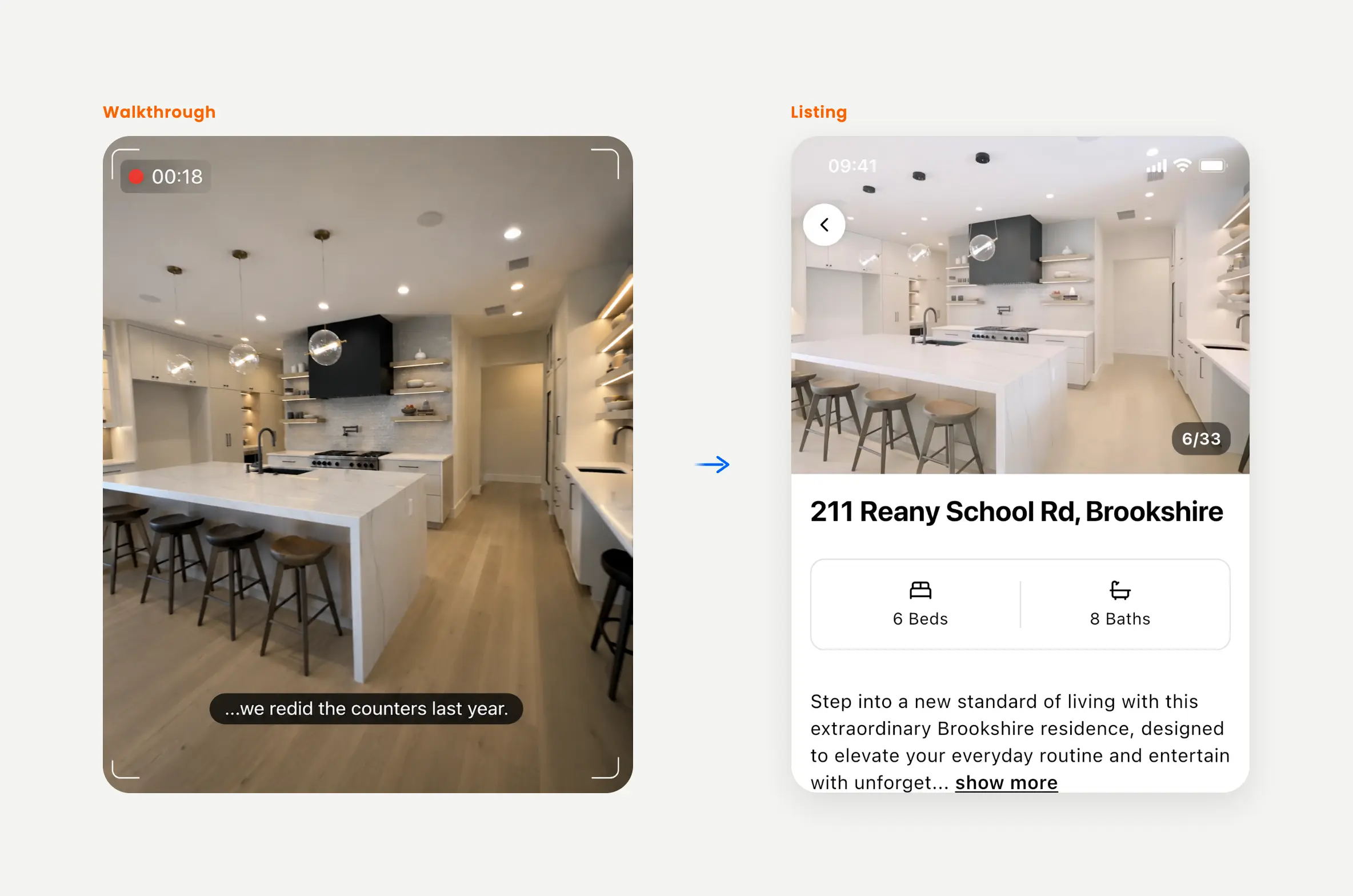
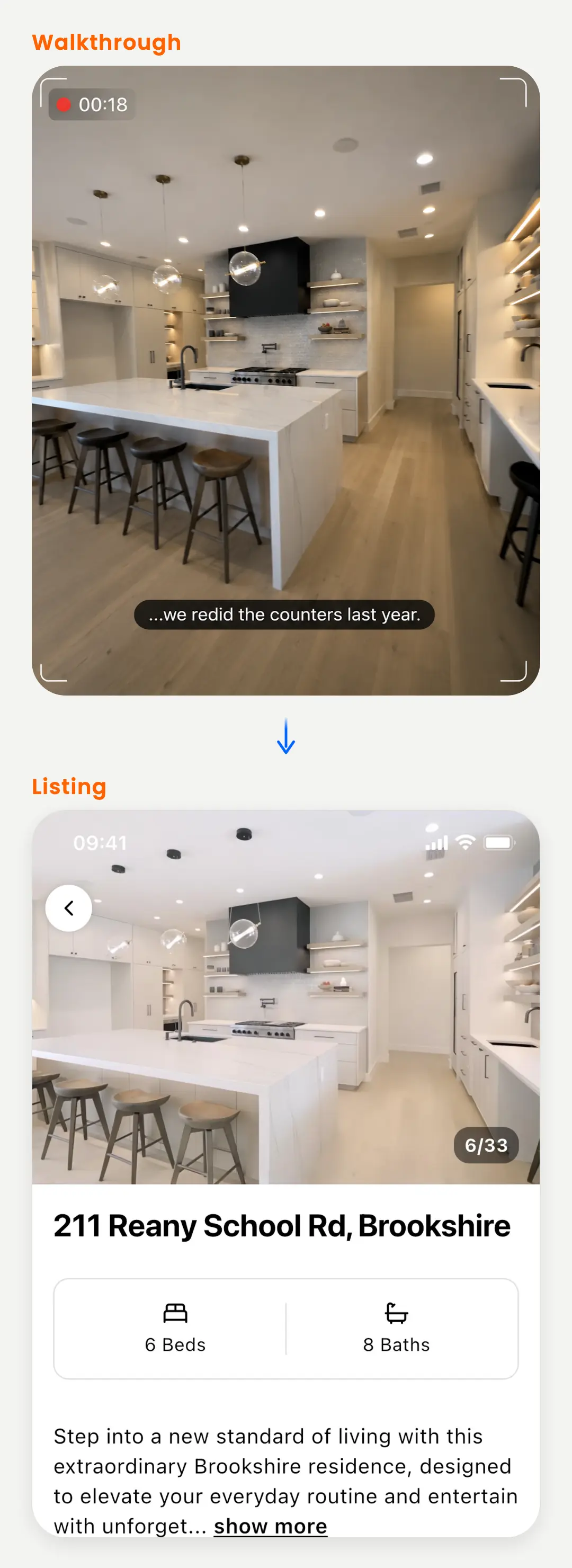
What you do
Open your phone’s camera.
Walk through the property.
Talk about what you see.
What you get
A listing that’s ready to post.
The photos, the posts and the creatives.
A website for the property and an AI agent package.
What do you get at the end?
Every walkthrough in Lisly turns into six things: the listing, the photos, the marketing content, the creatives, a website for the property and an AI agent package. They all come out of the same video, so your listing says the same thing everywhere you post it.
Listing
A written description, the property details and every feature, filled in on RESO, the data standard most MLS and portal systems use.
Photos
The best shots of every room, taken from your own video. These are frames of the actual place, not AI generated images.
Contents
Social captions, email copy, blog posts, SMS and WhatsApp messages, written for this property and ready to send.
Creatives
Branded images and short videos built from your listing photos, sized for the platform you’re posting to.
Property website
A single page for the property with the photo gallery, the map and your contact details. Share the link anywhere.
AI agent package
A ZIP with your listing in standard real estate formats, plus the photos and the description. It also carries instruction files an AI coworker like Claude Cowork or ChatGPT Work can read to fill in portal forms for you.
Your next listing starts with a walk.
Lisly is on the App Store and Google Play.